YOUR OWN LITTLE CORNER OF THE INTERNET
A proper home online.
Yours to look after.
A free Framer website template for small dog rescues. Dog profiles, adoption and foster pages, and an enquiry form on every dog. Copy it into your own account and run it yourselves.
A custom domain requires a paid Framer site plan. Domain registration costs extra.
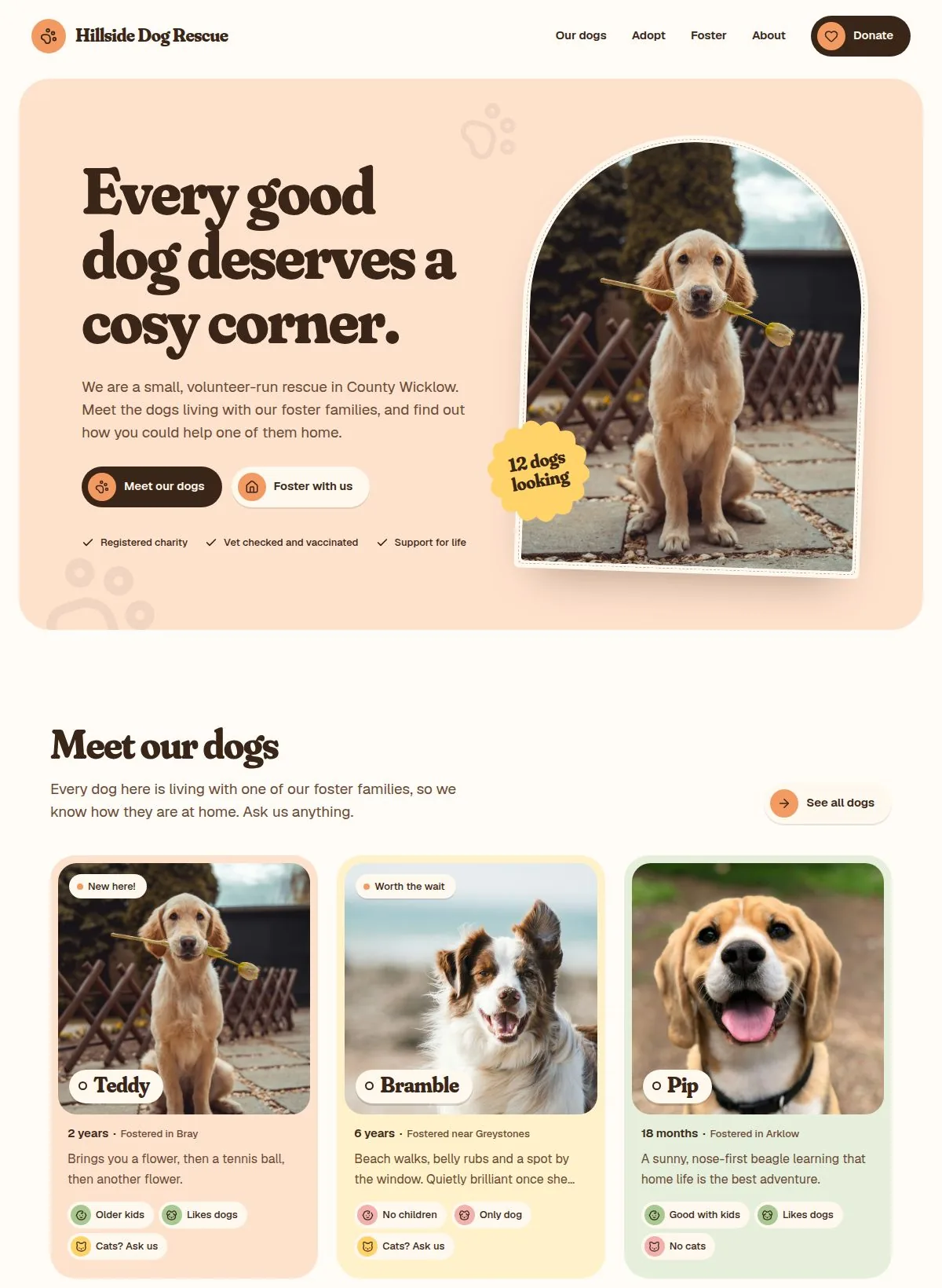
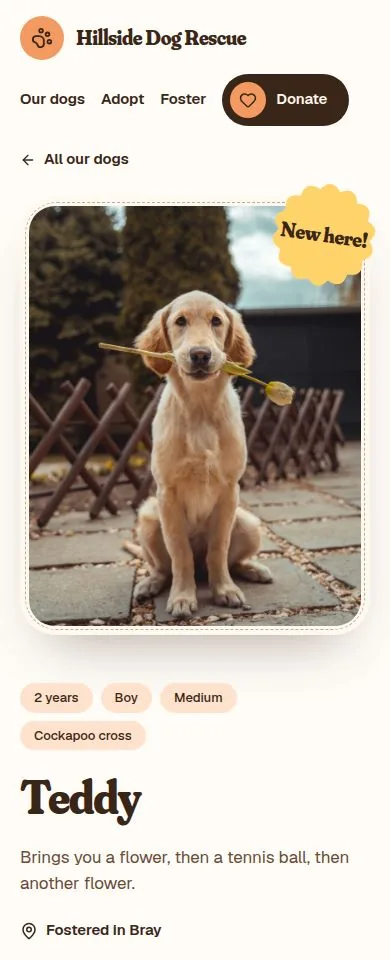
Everything a rescue website needs.
Built with the same stickers, rosettes and colours as the Nuhom posts and posters, so your website and your social posts look like they belong together.
- Seven pages: home, our dogs, dog profiles, adopt, foster, support and about
- A Dogs collection you edit like a spreadsheet, no code
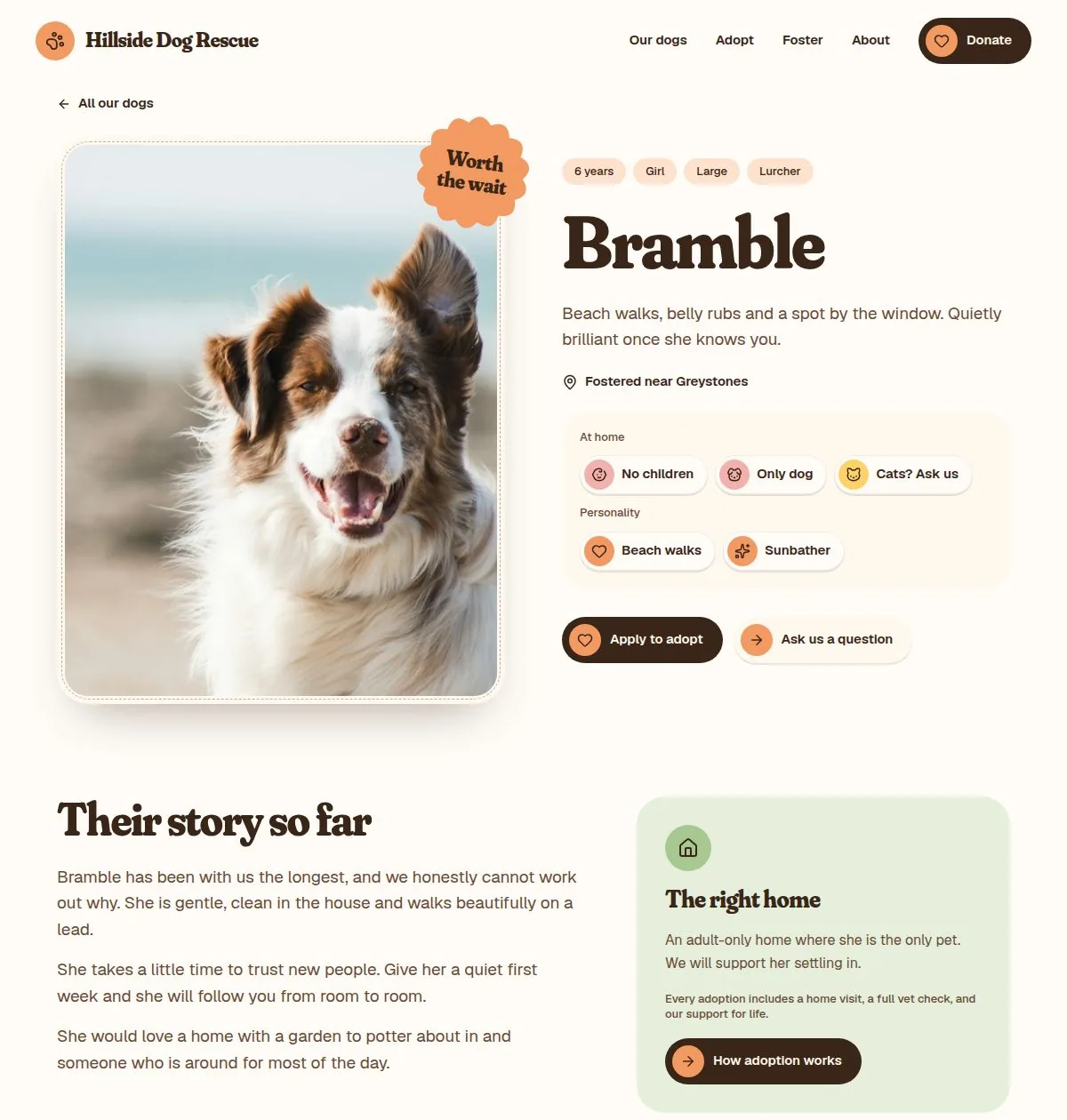
- Home-fit stickers for children, dogs and cats, plus personality traits
- Status rosettes: New here, Worth the wait, Reserved, Home at last
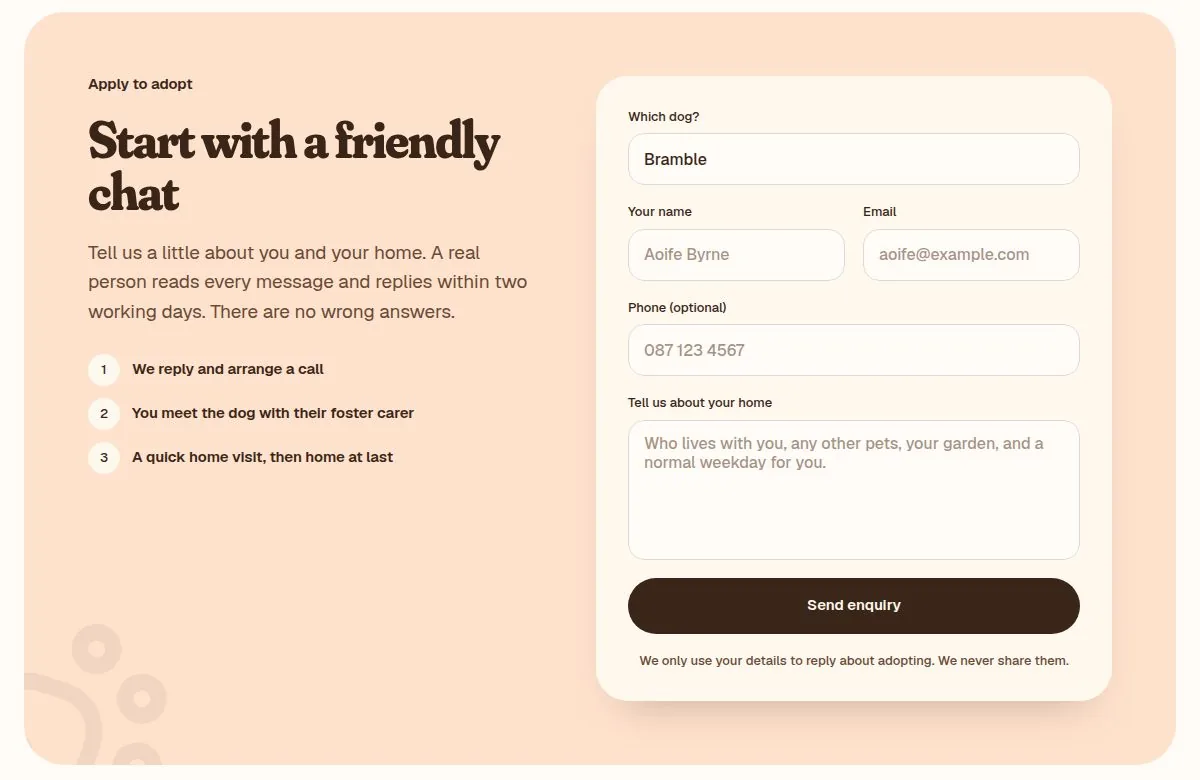
- An enquiry form on every dog that fills in their name for you
- Optional link to your own adoption application form
- Filters so adopters can find dogs that suit their household
- Designed for phones first, and matches your Nuhom posts and posters
Six steps to your own site.
Copy the template
Open the template link and remix it. Framer puts a full copy in your own account. It is yours, not ours.
Make it look like you
Change the rescue name and logo in the navigation, then the accent colour in the project’s colour styles. Every page updates at once.
Add your dogs
Open CMS → Dogs. Replace Teddy, Bramble and Pip with your own dogs: a photo, a few lines, and the home-fit answers you are sure of. Anything unknown stays “Ask us”.
Send enquiries to your inbox
Open the dog page, select the enquiry form and add your email as where submissions are sent. Do this before you publish, or enquiries will go nowhere.
Check your details
Update your contact details, registered charity number (if applicable), adoption fee, donation link and the About page. Search for “Hillside” to catch anything left over.
Publish and connect your domain
Publish to a free Framer address to test it, then connect your own domain on a paid Framer site plan when you are happy.
A template, not a tie-in.
Who owns and updates the website?
You do. You copy the template into your own Framer account, connect your domain and update your own dogs. Nuhom does not manage your website, enquiries or donations, and never sees them.
Will the website have ongoing costs?
The template is free, and you can build and test on Framer’s free plan. To use your own domain you will need a paid Framer site plan, and the domain has its own yearly cost. Check Framer’s current pricing before you publish.
Do I need design or coding skills?
No. Dogs are added through a simple table, and text is edited by clicking on it. If you can post on social media, you can keep this up to date.
Will my copy get future updates?
No. Your copy is independent, so changes we make later will not appear on your site automatically. That also means nothing changes without you knowing.
Do I need to move my current website?
No. The design studio works with any website, so keep using what works for your rescue. The template is there if and when you want it.
Open the design studio